Rebuilding My Site with Astro, Tailwind CSS & Content Collections
Basically, Why I Ditched Gatsby..

I’ve rebuilt this site more times than I’d like to admit. Plain HTML, Jekyll, plain old React, Gatsby - each version reflected wherever I was in my career at the time.
But by late 2024, the Gatsby version had become a maintenance headache. Build times were creeping up, plugin updates were breaking things, and I was spending more time debugging the build than writing content.
Every single time I took a break to check on the site, I found myself in a rabbit hole of plugin updates, build errors, and dependency conflicts. It was a constant game of whack-a-mole.
So I rebuilt it again!
But this time with Astro.
noteThis isn’t a “why Astro is the best framework” pitch. It’s a practical walkthrough of the decisions I made and the problems I solved. If you’re considering Astro for a content-heavy site, this might save you some time.
Or not. Either way, I hope it’s an interesting read..
Why I Left Gatsby
I built PWAs with Gatsby professionally during my startup days, so I had real affection for it. But a few things had been nagging me, atleast recently.
Build times: My site had around 25 articles, a photo gallery, project showcases, and a handful of JSON data files. Gatsby’s build was taking over two minutes locally. Not terrible, but irritating when you’re tweaking CSS.
Dependency weight: Gatsby pulls in React, GraphQL, webpack, and a sprawling plugin ecosystem. For a personal site that’s mostly static content, that’s a lot of machinery. My
node_moduleswas well over half a gigs.Plugin maintenance: Several Gatsby plugins I relied on were abandoned or lagging behind Node.js version updates. Every upgrade cycle became a game of “which plugin broke this time” and “I hope this has a workaround on GitHub.” I almost wrote a plugin myself as a workaround for one of them. Almost..
The GraphQL tax: I love GraphQL for APIs, but querying my own markdown files through a GraphQL layer always felt like unnecessary indirection. I just wanted to import content and render it.
Astro solved all of these friction points without asking me to give up anything I actually cared about. At least what I needed for this rebuild.
Why Astro Clicked
Apart from the fact that I want to check out the new kid in the framework block, Astro’s documentation (and examples that I found on the internet) convinced me enough to give it a try.
Zero JavaScript by default. Astro ships zero client-side JS unless you explicitly opt in. For a content site, this is exactly right. My articles don’t need hydration. They’re just text and code blocks!
Content collections. Astro has a first-class content layer with schema validation, type safety, and file-based routing. No GraphQL, no plugins, just a schema and your markdown files. What else do you even need for a content site?
Island architecture. The rare interactive component (like a search bar or image gallery) can hydrate independently without forcing the entire page to ship a framework bundle.
Build speed. My full site builds in about 15-20 seconds. Coming from two-minute Gatsby builds, this felt almost instant. The incremental build performance is also excellent, so when I’m tweaking styles or content, the feedback loop is much faster.
Oh and the dev server starts in under 2 seconds, which felt like it brought me back to the good old days of static site development.
Content Architecture
The content layer is the heart of this site, so I spent the most time here. Here’s how it’s structured:
content/
├── articles/       # MDX articles, each in its own folder
│   ├── some-article/
│   │   ├── index.mdx
│   │   └── banner.png
├── bits/           # Short-form pieces (micro-essays)
├── gallery/        # Photography collections
├── projects/       # Project showcase data
├── reads/          # Quotes and book notes
└── about/          # Profile and services
Each article lives in its own directory with its banner image colocated. This keeps assets close to the content that references them. So no hunting through a global images/ folder.
Content as a Git Submodule
The entire content/ directory is a separate git repository, pulled in as a submodule. This keeps all my content (markdown articles, photos, and other data) in a private repository while the site code stays public.
The deployment is fully automated through GitHub webhooks: whenever I push a content change, it triggers a workflow in the website repository that pulls in the latest commit and rebuilds the site. No manual coordination between repos, no friction. Privacy and automation in one setup.
bonusI wrote about this kind of setup in more detail in my article on automating frontend workflows with GitHub Actions, if you’re curious about the webhook plumbing.
Content Collections with Type Safety
Astro’s content collections let you define a schema for each content type. Here’s a simplified version of my article schema:
import { defineCollection, z } from 'astro:content';
import { glob } from 'astro/loaders';

const articles = defineCollection({
  loader: glob({
    pattern: "**/*.{md,mdx}",
    base: "./content/articles"
  }),
  schema: ({ image }) =>
    z.object({
      title: z.string(),
      subtitle: z.string().optional(),
      description: z.string(),
      hero_image: image(),
      hero_image_alt: z.string().optional(),
      path: z.string(),
      date: z.coerce.date(),
      dateModified: z.coerce.date().optional(),
      keywords: z.string(),
      tags: z.array(z.string()),
      category: z.enum([
        'General', 'Technology', 'Photography',
        'Engineering and Development', 'Philosophy', 'Muse'
      ]).optional(),
      series: z.object({
        title: z.string(),
        currentPart: z.number(),
        ongoing: z.boolean().optional(),
      }).optional(),
    }),
});
The image() helper from Astro validates that hero images actually exist at build time. If I typo a filename in frontmatter, the build fails immediately instead of silently rendering a broken image. That alone saved me from a few embarrassing deploys.
The z.coerce.date() is another nice detail. It accepts both "2025-01-20" strings and full ISO timestamps like "2019-04-11T22:12:03.284Z", which matters when you’re migrating from Gatsby where dates had inconsistent formats.
tipIf you’re migrating from another SSG, expect your frontmatter formats to be inconsistent. Zod’s
coercevariants handle this gracefully instead of failing on the first article with a slightly different date format.
Multiple Content Types
Beyond articles, I have shorter pieces I call “bits” — micro-essays that don’t need the full article treatment. They get their own collection with a simpler schema:
const bits = defineCollection({
  loader: glob({
    pattern: "**/*.{md,mdx}",
    base: "./content/bits"
  }),
  schema: z.object({
    title: z.string(),
    description: z.string(),
    path: z.string(),
    date: z.coerce.date(),
    tags: z.array(z.string()).optional(),
  }),
});
No hero image, no keywords, no category. Just a title, description, and the content. Different content types deserve different schemas, and Astro makes this trivial.
The MDX Pipeline
Markdown alone doesn’t cut it for technical writing. I need syntax-highlighted code blocks, custom callout boxes, table of contents generation, and reading time estimates. Here’s the plugin chain:
// astro.config.mjs
mdx({
  syntaxHighlight: 'shiki',
  shikiConfig: { theme: 'dracula' },
  remarkPlugins: [
    remarkToc,           // Auto-generate table of contents
    remarkReadingTime,   // "5 min read" estimates
    remarkNotes          // Custom callout blocks
  ],
  rehypePlugins: [
    rehypePresetMinify,
    rehypeSlug,                    // Add IDs to headings
    [rehypeAutolinkHeadings, {     // Add anchor links
      behavior: 'append',
      content: AnchorLinkIcon,
    }]
  ],
  gfm: true,
})
Custom Reading Time Plugin
The reading time plugin is a remark plugin that calculates an estimate and injects it into the frontmatter:
// src/plugins/remark-reading-time.mjs
import getReadingTime from 'reading-time';
import { toString } from 'mdast-util-to-string';

export function remarkReadingTime() {
  return function (tree, { data }) {
    const textOnPage = toString(tree);
    const readingTime = getReadingTime(textOnPage);
    data.astro.frontmatter.readingTime = readingTime.text;
  };
}
This is one of those small touches that I appreciate about Astro’s plugin system. Remark and rehype plugins work exactly as documented—no framework-specific wrappers or abstractions to learn.
Callout Blocks
I use remark-notes-plugin for callout boxes throughout my articles. The syntax is clean:
> [!tip] Pro tip content here

> [!important] Critical information

> [!note] A side note or personal aside

> [!bonus] Extra context or resources
These render as styled callout blocks with different colors and icons. The plugin handles the markdown transformation, and Tailwind handles any custom styling.
Performance Decisions
Performance wasn’t an afterthought—it was one of the primary reasons for the migration. Here are the specific choices that made a difference:
Zero Client JS by Default
This is Astro’s biggest win for content sites. My article pages ship exactly zero JavaScript to the browser. The HTML is pre-rendered at build time, and that’s what users get. No React runtime, no hydration delay, no bundle to parse.
For the few interactive pieces (the photo gallery uses masonry layout, the search needs client-side filtering), I use Astro’s island architecture to hydrate just those components.
Image Optimization
Astro’s built-in image optimization handles responsive images, format conversion, and lazy loading. Combined with @playform/compress for additional compression during the build.
bonusFor a deeper dive into image optimization techniques and modern formats, check out my comprehensive guide to image optimization.
playformCompress({
  CSS: true,
  HTML: {
    "html-minifier-terser": {
      removeAttributeQuotes: false,
      collapseWhitespace: true,
      removeComments: true,
      minifyCSS: true,
      minifyJS: true,
    },
  },
  Image: true,
  JavaScript: true,
  SVG: true,
})
Font Loading
I use four variable font families loaded through @fontsource-variable. These are bundled at build time rather than loaded from a CDN, which eliminates render-blocking network requests and avoids layout shift from font swapping.
// Chunked separately for caching
manualChunks: {
  'vendor': ['astro'],
  'fonts': [
    '@fontsource-variable/inter',
    '@fontsource-variable/red-hat-display',
    '@fontsource-variable/red-hat-text',
    '@fontsource-variable/montserrat'
  ]
}
Splitting fonts into their own chunk means returning visitors don’t re-download them when article content changes.
Tailwind CSS for Styling
I went with Tailwind CSS 4 for styling, using the PostCSS integration. The utility-first approach works well for a site like this where most components are one-offs—I don’t need a design system with reusable class abstractions.
A few things I like about this setup:
Typography plugin: The
@tailwindcss/typographyplugin handles all the prose styling for article content. Instead of writing custom CSS for every HTML element that might appear in a markdown file, I apply theproseclasses and get sensible defaults.Dark mode: Tailwind’s dark mode support makes theme switching straightforward without maintaining parallel stylesheets. I haven’t implemented a dark mode toggle yet for Astro, but the groundwork is there for an easy rollout in the future. And I’m probably going to use the old button I had in the Gatsby site.
No CSS-in-JS: Since Astro components aren’t React components, there’s no temptation to reach for styled-components or emotion. Scoped styles in
.astrofiles and Tailwind utilities cover everything.
The Results
After the migration:
- Build time: ~15 seconds (down from 2+ minutes)
- Dependencies: About ~200MB node_modules (down from 500MB+)
- Page weight: Article pages ship under 50KB of HTML with (almost)zero JS
- Lighthouse scores: Consistent 95+ across all categories
- Developer experience: I actually enjoy writing articles again because the tooling stays out of my way
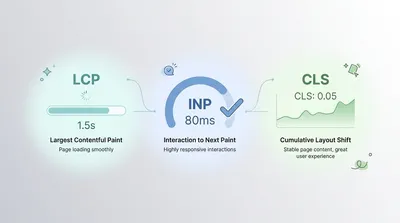
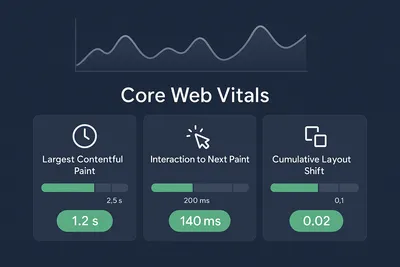
The site scores well on Core Web Vitals because there’s simply less to load. No framework runtime, no GraphQL client, no client-side routing; just pre-rendered HTML, optimized images, and a few kilobytes of CSS.
Should You Use Astro?
If you’re building a content-heavy site — a blog, documentation, portfolio, or marketing site — Astro is one of the best options available right now. The content collections API is well-designed, the build performance is excellent, and the zero-JS default means your site is fast without any optimization effort.
If you need heavy interactivity on every page (a dashboard, a SaaS app, a real-time collaboration tool), Astro isn’t the right pick. Use Next.js, Remix, or SvelteKit instead.
For everything in between, Astro’s island architecture lets you mix static content with interactive islands without committing to shipping a framework to every page.
I’m happy with this Astro migration. It’s the first version of my site where I spend more time writing content than babysitting the build system. And honestly, that’s all I wanted from this rebuild.
bonusResources:
- Astro Docs: The official Astro documentation covers content collections, islands, and integrations comprehensively.
- Content Collections: The content collections guide is worth reading end-to-end if you’re building a content-heavy site.